Connect simply.
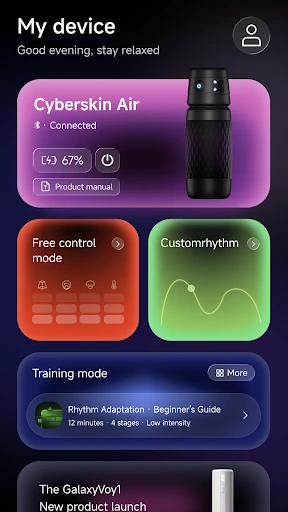
Pair a compatible Cyberskin device over Bluetooth. Your controls, together in one place.
THE CYBERSKIN APP
A closer connection. A more personal experience. Bring your Cyberskin device to life, right from your phone.
Designed for iOS & Android · 18+
01 / THE EXPERIENCE
Less setup. More you.Pair a compatible Cyberskin device over Bluetooth. Your controls, together in one place.
Explore available modes, adjust supported settings, and create rhythms that feel like you.
Bring video and your device together with supported video synchronization features.
A MORE PERSONAL TOUCH
From a change of pace to a rhythm of your own. Free control and custom programs put the experience in your hands.
Find it in the appAn illustration of rhythm patterns. This preview does not control a device.
MORE THAN WATCHING
Explore official videos or select your own local content. Supported AI sync analyzes playback on your phone to coordinate your compatible device.
Availability depends on your device, app version, playback source, and permissions.
About video sync02 / THE CONNECTION
Your phone and your device. Better together.
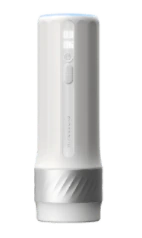
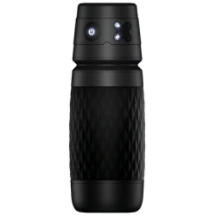
Turn on your compatible device and keep it nearby.
Enable Bluetooth, open the app, and follow the pairing instructions.
Explore the controls and experiences available for your device.
Understand your permissions, manage your account, and find your privacy choices in one place.
Yes. Hardware control and synchronization require a compatible Bluetooth-enabled Cyberskin device. Available settings and functions depend on the model and app version.
Cyberskin is designed for iOS and Android. Check the relevant store listing when available for the current operating system requirements and regional availability.
Supported sync features analyze playback on your phone and send control instructions to the paired device over Bluetooth. Features depend on the playback source, device capabilities, and permissions. See App Support and the Privacy Policy for details.
In the app, open Profile → Delete Account. You can also request deletion without signing in. View deletion options ↗

YOUR NEXT CONNECTION
Make room for an experience that's yours.
Store links will be available after release. Compatible device required for hardware features.
Questions? Get in touch